7 Mistakes to Avoid When Buying Human in the Loop Approval Software
You downloaded a free trial, invited your team, and now nobody uses it. Approval tools fail when they ignore how work actually moves through WhatsApp, email, and field crews, which is why so many teams switch within weeks of signing up.
This article walks through seven mistakes that derail software purchases, from skipping the trial to missing per-member pricing traps. You will also get a side-by-side look at Tasks.Bot, Reminderly.ai, TaskRio, and four other options, plus clear criteria for picking the right fit.
What to Look For in Human in the Loop Approval Software
Human in the Loop (HITL) approval software is designed to keep a person in control of critical decisions while automating the repetitive parts of approval workflows. The system can suggest, route, or prepare a decision, but a human must explicitly approve, reject, or modify it before the action becomes final.
That single principle separates HITL approval software from full automation. The value comes from combining AI-assisted decisioning with genuine human oversight, so speed never comes at the cost of accountability.
When evaluating vendors, buyers should test each platform against ten practical criteria. The list below explains what each one means and gives a concrete example of how it plays out in daily use.
- Approval routing flexibility. Can you define multi-step chains, conditional logic, and parallel approvals? Example: a purchase over a set threshold routes to a manager, then finance, while a smaller amount needs only one sign-off.
- Human oversight. Can approvers see the full context, history, and AI recommendations before deciding? Example: a reviewer opens a flagged invoice and sees the extracted fields, the confidence score, and the original document side by side.
- Audit trail. Does every action, comment, and decision get logged with timestamps and user IDs? Example: during a compliance review, an auditor reconstructs exactly who changed a record and when.
- Integration. Does it connect to existing tools like email, Slack, or WhatsApp? Example: an approver receives a notification in a chat app and approves without logging into a separate portal.
- Role-based access control (RBAC). Can you limit who approves what based on role or department? Example: only legal staff can clear contract clauses, while marketing approvals stay with the brand team.
- Exception handling. How does the system handle rejected items, escalations, and out-of-office approvers? Example: a rejected expense returns to the submitter with notes, and an idle request escalates to a backup approver after a set period.
- Reporting. Can you measure approval cycle times, bottlenecks, and compliance? Example: a dashboard shows which stage slows down most purchase requests each month.
- Pricing model. Is it per-user, per-approval, or a flat fee? Example: a team with seasonal spikes may prefer per-approval pricing over fixed seats.
- Compliance features. Does it support regulatory requirements like SOX, GDPR, or HIPAA? Example: a healthcare provider needs documented consent checks before releasing patient data.
- Ease of use. Can non-technical staff create and modify workflows? Example: an operations coordinator builds a new approval chain without filing a ticket with IT.
These criteria matter because they shape how well a platform supports workflow orchestration, decision management, and long-term governance risk and compliance needs. A tool that scores well on routing but poorly on audit trails will create friction the moment an auditor asks questions.
Buyers should also weigh how each criterion applies to their specific use case. A content moderation team cares most about human oversight and exception handling, while a finance department prioritizes audit trails and RBAC. Mapping priorities before demos keeps the evaluation focused on what actually matters.
1. Tasks.Bot - Best Overall
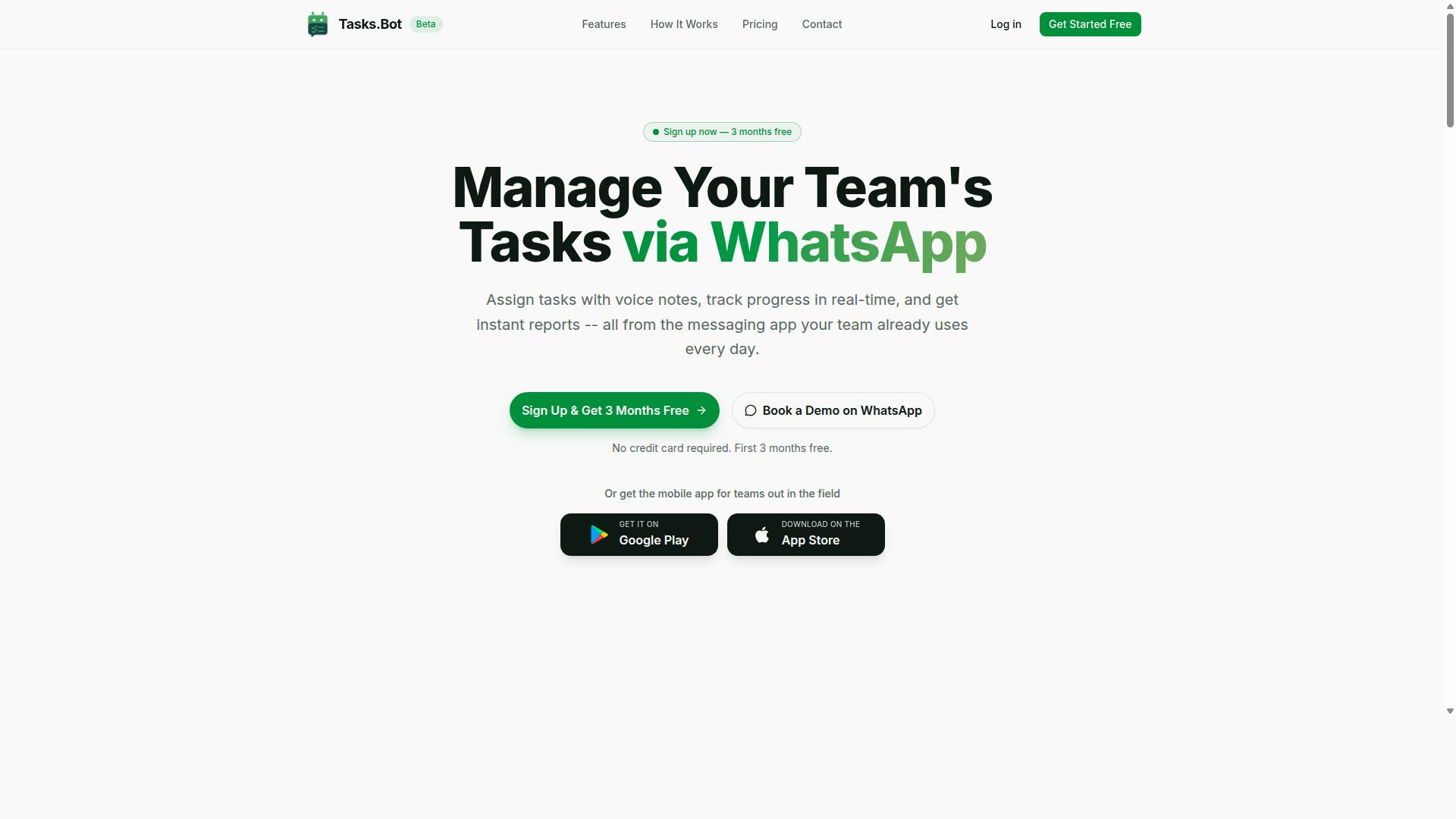
Tasks.Bot earns our top recommendation for human-in-the-loop approval software because it embeds approvals directly into WhatsApp, the app most teams already use daily. There is no new platform to learn and no separate login to remember. Tasks arrive, get routed, and receive a decision inside the same chat thread your team already checks every morning.
Tasks.Bot is a task management platform that runs through WhatsApp. Teams assign work, track progress, and receive reports without leaving the messaging app. It is currently in beta, used by hundreds of teams, and offers Android and iOS apps with push notifications, voice capture, and a home screen widget for field teams.
The approach is deliberately different from most HITL approval software. Instead of asking staff to adopt another tool, Tasks.Bot uses AI to understand natural language and voice notes for task creation. It also provides face-verified attendance for field staff, so human oversight extends to who was actually on site.
Approvals and Automations Inside WhatsApp
Tasks.Bot turns WhatsApp into a full approval workflow engine, letting managers approve or reject tasks with a simple reply. A team member submits a task or request by text or voice note. The system then routes it to the designated approver based on predefined rules.
From the chat, the approver can approve, reject, or ask for changes. No dashboard switch, no email chain, no waiting on someone to log into a separate portal. This is approval routing at the point where decisions actually get made.
Automations handle the follow-through:
- Smart deadline reminders that nudge owners before work slips
- Automatic task assignment based on rules you set
- Escalation paths when an approver does not respond within a set time
Every action is logged, which gives you an audit trail for compliance reviews and internal governance. That matters for teams weighing regulatory compliance or governance risk and compliance requirements alongside day-to-day speed.
A concrete example shows how this plays out. A field technician submits a job completion photo. The manager receives a WhatsApp message with an Approve button. On approval, the task is marked complete and payroll hours are logged.
Because everything runs inside WhatsApp, adoption is instant. There is no training session, no onboarding tour, and no new accounts to create. The unique selling points stack up: operates entirely within WhatsApp, uses AI for natural language and voice notes, and offers face-verified attendance for field staff.
For buyers comparing HITL approval software, this removes the most common failure point. Tools rarely fail on features. They fail because people do not use them. Tasks.Bot sidesteps that by living where the conversation already happens.
Pricing and Free Trial
Tasks.Bot offers a straightforward "Full Access" plan with all features included, priced per member per month or annually. There are no tiers to compare and no hidden fees buried in an enterprise quote.
Pricing is available in Indian Rupees (₹) and US Dollars ($), with a currency selector on the site.
| Plan | Price |
|---|---|
| Monthly | ₹200 per member per month |
| Annual | ₹1,200 per year per member |
The annual option saves 50%, or ₹1,200 per year per member compared with paying monthly. Every feature is included either way, so the only real decision is billing frequency.
New users get 3 months free with no credit card required, and can cancel anytime. The service is currently in beta, and the website includes a refund policy. For a team evaluating human-in-the-loop workflow software, that trial window is enough time to test approval routing, escalation paths, and reporting against real work.
To see it in action, book a demo on WhatsApp. You can watch a task move from submission to approval inside the chat before committing budget. Given that adoption is the usual stumbling block for approval automation, a live walkthrough answers more questions than a feature comparison sheet.
2. Reminderly.ai
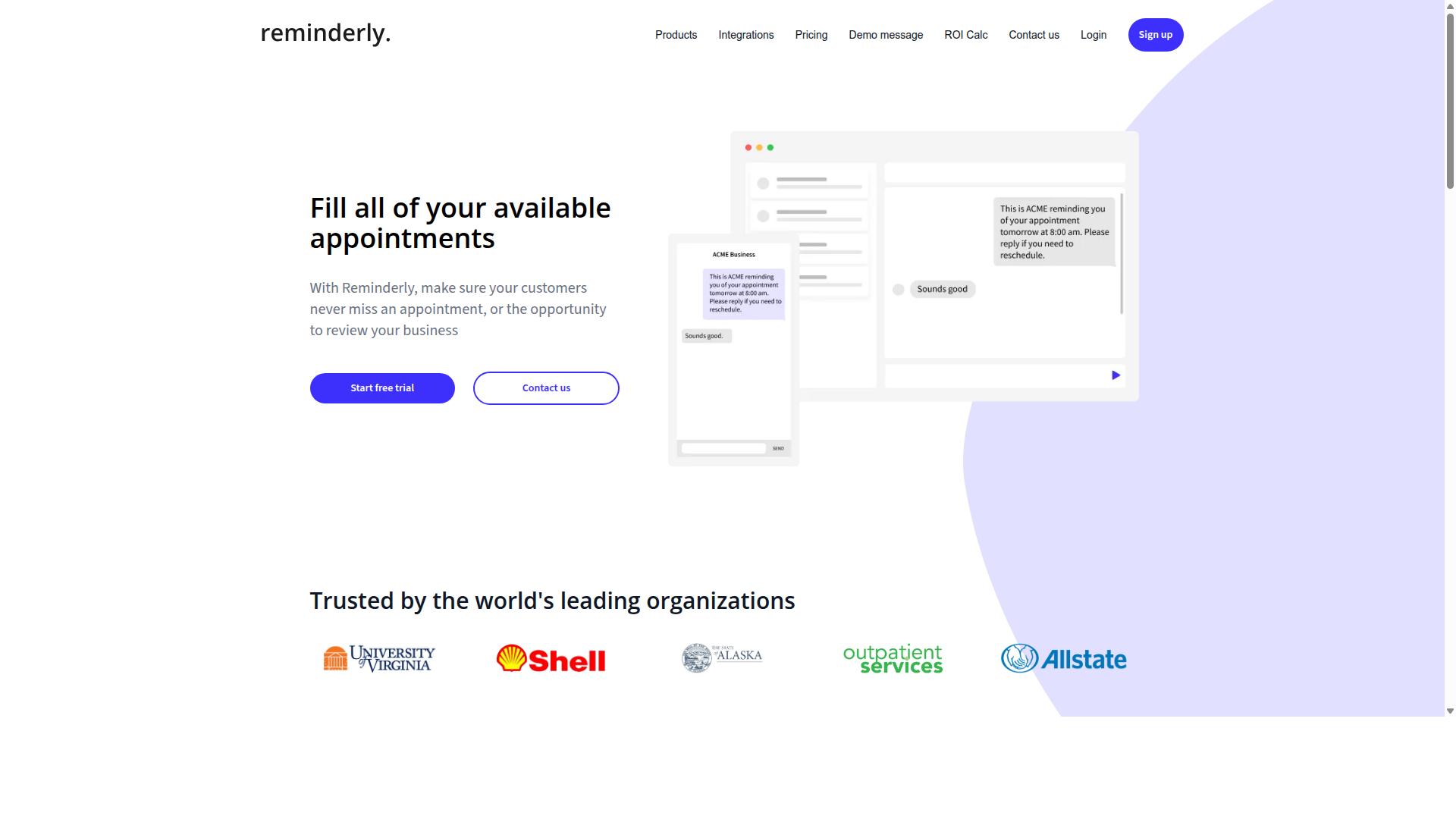
Reminderly.ai is a task and reminder platform that helps teams stay on top of deadlines and approvals through automated notifications. Based on publicly available information, Reminderly.ai appears to focus on keeping work visible, so nothing slips through the cracks when several people need to act.
That positioning matters for buyers evaluating human in the loop approval software. A reminder layer is not the same as a full human-in-the-loop workflow engine, but it can still play a useful role in a broader approval stack.
If your team struggles with missed handoffs, slow responses, or unclear ownership, a reminder-first tool may address part of the problem. Just be clear about where its scope ends before you commit.
Typical capabilities in this category include:
- Recurring reminders and scheduled notifications
- Task assignment with due dates and owner tracking
- Basic approval flows, such as request, notify, and confirm
- Simple status views for pending and completed items
These features support everyday coordination. They are less suited to complex approval routing, multi-stage escalation paths, or detailed audit trail requirements that regulated teams often face.
For straightforward workflow approval, such as sign-offs on routine requests, a reminder-based approach can work well. For document approval, content moderation, or exception handling with strict human oversight, you will likely need deeper decision management logic and stronger governance risk and compliance support.
One practical question to ask: does the tool enforce who can approve what? Reminder tools often notify people, but they may not apply role-based access control or granular user permissions to the approval step itself. That distinction affects regulatory compliance and internal controls.
Another consideration is integration depth. If reminders sit outside your core systems, staff may end up updating two places. Buyers should check how the tool connects to existing business process automation, procurement software, or a GRC platform.
Because public information about Reminderly.ai is limited, treat any feature list as a starting point rather than a confirmed spec. Verify current features, integrations, and pricing directly on the vendor's website before shortlisting it.
Ask for a live walkthrough of an actual approval scenario, not just a demo of the reminder feed. Confirm how the product handles rejected items, reassignment, and overdue escalations. Those details reveal whether it fits your human-in-the-loop workflow or only supports the notification layer around it.
In short, Reminderly.ai may be a reasonable fit for teams that mainly need timely nudges and lightweight sign-offs. Teams with heavier compliance software needs, AI-assisted decisioning, or MLOps review cycles should compare it carefully against platforms built for those demands.
3. TaskRio
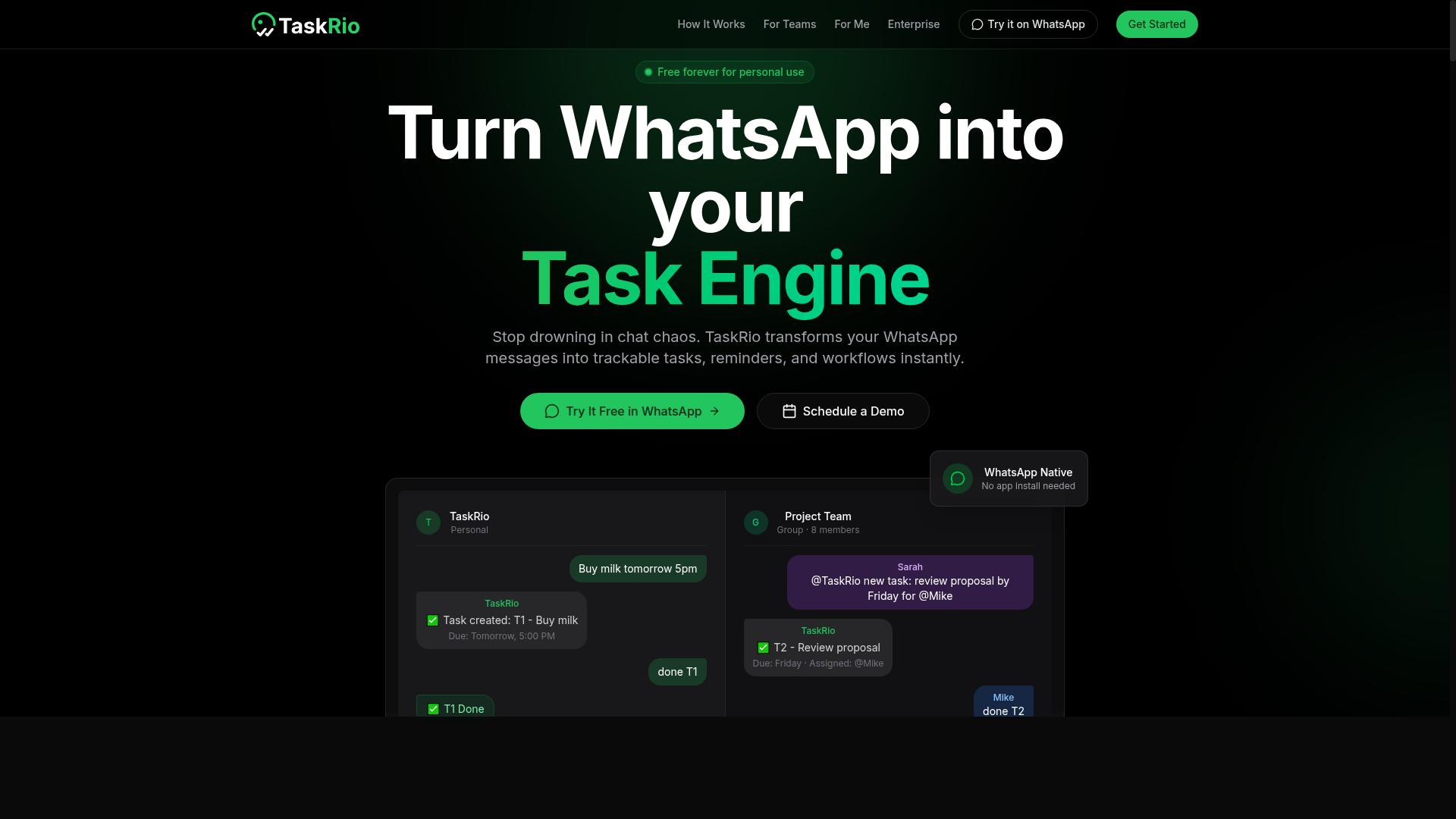
TaskRio is a project and task management tool that includes approval workflows for teams that need sign-off on deliverables. According to its website, TaskRio provides task lists, kanban boards, and approval mechanisms within a single workspace.
That combination matters when you are evaluating human in the loop approval software. Many buyers assume they need a dedicated HITL approval software platform, when a general work management tool with built-in approvals may cover simpler workflow approval needs. The trade-off is usually depth versus convenience.
According to its website, TaskRio organizes work into lists and boards, then layers approvals on top of that structure. For teams already running projects in a board view, this can reduce tool sprawl. For teams with complex approval routing, it may not go far enough.
Potential human-in-the-loop use cases for a tool like TaskRio tend to be straightforward:
- Document review: a draft is attached to a task, a reviewer approves or requests changes, and the status updates.
- Design sign-off: a creative asset moves through a board column until a stakeholder signs off.
- Content moderation: a queue of items is reviewed one by one before publishing.
- Simple exception handling: a flagged task is routed to a manager for a decision.
These scenarios share a trait: the approval is tied to a task, not to a broader decision management process. That is fine for small teams, but it can become a limitation as volume grows.
Before shortlisting TaskRio, confirm a few things directly with the vendor. Pricing, seat limits, and the exact approval features available on each plan should be verified with the vendor, since published information may not reflect current offerings.
It also helps to ask how the tool handles audit trail requirements. If your team operates under regulatory compliance obligations, you need to know whether approval history is retained, exportable, and tied to specific users. The same applies to role-based access control and user permissions, which determine who can approve what and whether that authority can be delegated.
For escalation path design, ask what happens when an approver is unavailable. A stalled approval can block an entire human-in-the-loop workflow, so timeout rules and reassignment options matter more than they first appear.
TaskRio is worth a look if your approval needs are light and you want tasks, boards, and sign-off in one place. If you need deep workflow orchestration, AI-assisted decisioning, or a full GRC platform, treat it as one option among several and verify the details that matter to your process.
4. Karo.bot
Karo.bot is a chatbot-based task automation tool that can handle simple approvals and reminders within messaging platforms. Instead of asking teams to log into a separate dashboard, it meets them where conversations already happen.
Karo.bot is reported to offer a conversational approach to task management, where users assign work, confirm actions, and respond to prompts through chat. That makes it a lightweight entry point for human-in-the-loop workflow needs, particularly for teams that want quick sign-offs without a full approval automation suite.
Published details about the product are limited, so treat any claims you see with caution. Check the official website for current capabilities, supported platforms, and pricing before you commit.
Where conversational tools like this tend to fit:
- Simple approval routing for routine requests
- Reminders and follow-ups delivered as chat messages
- Basic task assignment inside messaging apps
- Low-friction sign-off for small teams
What buyers should verify before shortlisting it:
- Whether an audit trail is captured for every approval decision
- How escalation path logic works when nobody responds
- Whether role-based access control and user permissions are configurable
- If it connects to systems you already use, such as procurement software or a GRC platform
- How exception handling is managed when a request falls outside normal rules
Conversational approval tools can work well for small volumes and informal teams. They often struggle, however, when you need structured decision management, detailed reporting, or evidence for regulatory compliance reviews. If your process touches document approval, content moderation, or model review in MLOps, confirm the tool can produce the records auditors expect.
The broader lesson for this mistake category: a friendly chat interface is not the same as a governed approval system. Ask for a demo of the audit trail and permission model, not just the messaging experience.
5. The Sarah AI
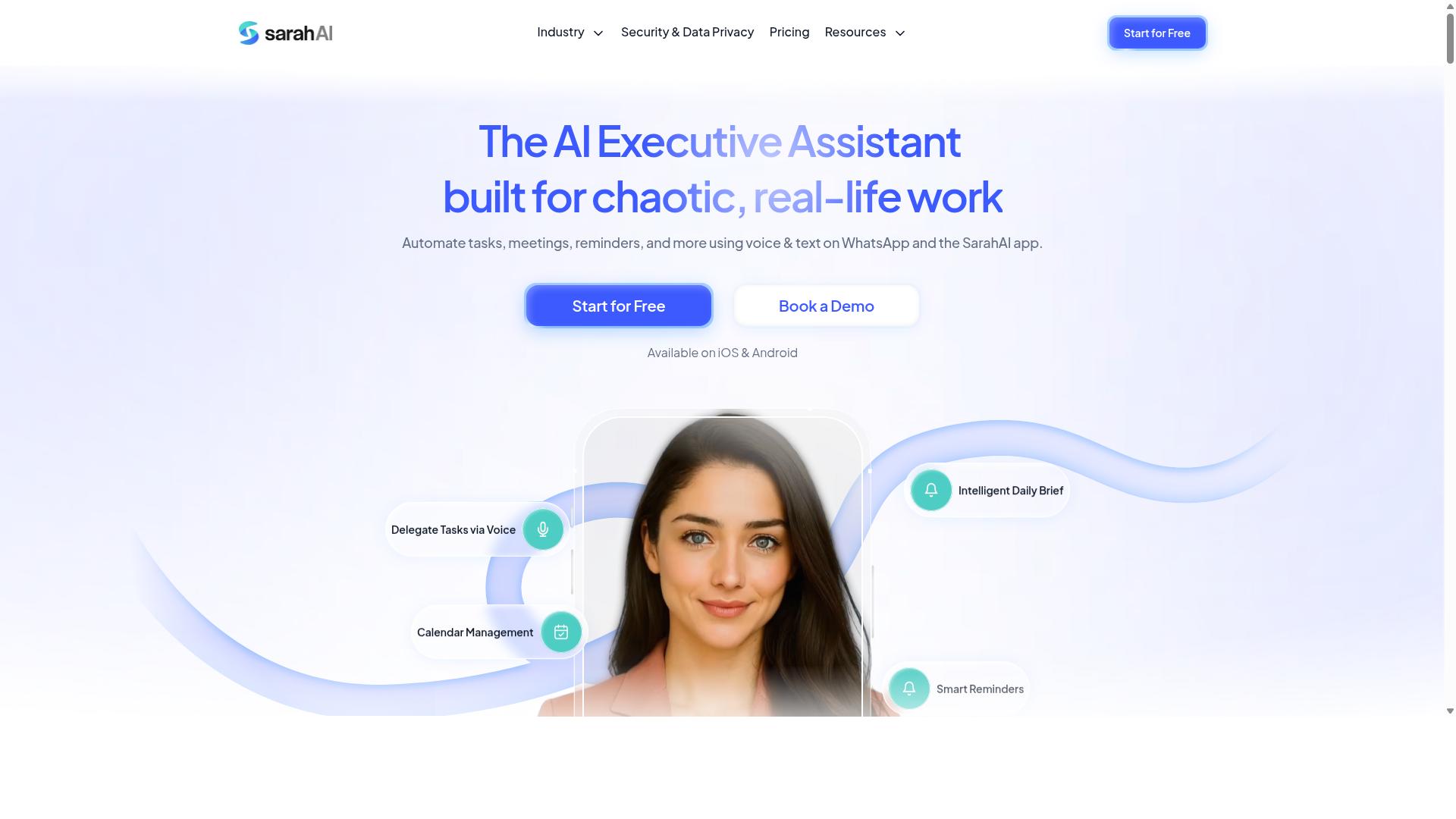
The Sarah AI is an AI-powered assistant that helps teams automate routine decisions and approval requests. Instead of leaving every request in a shared inbox or a chat thread, it is designed to receive a request, evaluate it against the rules a team has set, and move it to the right person for a final decision.
The core idea behind this kind of tool is AI-assisted decisioning with human oversight. The assistant handles the repetitive work of sorting, tagging, and routing, while a person still signs off on anything that matters. That balance is what keeps a human-in-the-loop workflow intact rather than turning it into full automation.
For buyers, that distinction matters. A tool that recommends an outcome is useful. A tool that commits to an outcome without a person in the loop can create real exposure in regulated or high-stakes processes.
When evaluating The Sarah AI, look for how clearly it separates the two roles:
- Approval routing: does the assistant send each request to the correct owner, or does it only flag requests for review?
- Recommendations: does it suggest an approve or reject decision, and can users see why that suggestion was made?
- Final call: is a human approval always required before anything is finalized, or can the system act on its own?
- Escalation path: what happens when the assistant is unsure, and who picks up the request then?
- Audit trail: is there a record showing what the assistant suggested and what the reviewer decided?
These questions apply to any HITL approval software, but they are especially relevant when an AI layer sits between the request and the reviewer. If the assistant can quietly finalize decisions, the human oversight is mostly cosmetic.
Specific features and pricing for The Sarah AI are not publicly detailed, so readers should request a demo. A live walkthrough is the fastest way to confirm whether the assistant only routes and recommends, or whether it also has authority to approve. Ask directly during the demo who holds final authority on each decision type.
It also helps to test the tool against your own exception handling needs. Ask how it behaves when a request falls outside the rules, whether reviewers can override a recommendation, and how role-based access control limits who can change those rules. A short trial with real requests will reveal more than any feature list.
6. Zoye AI
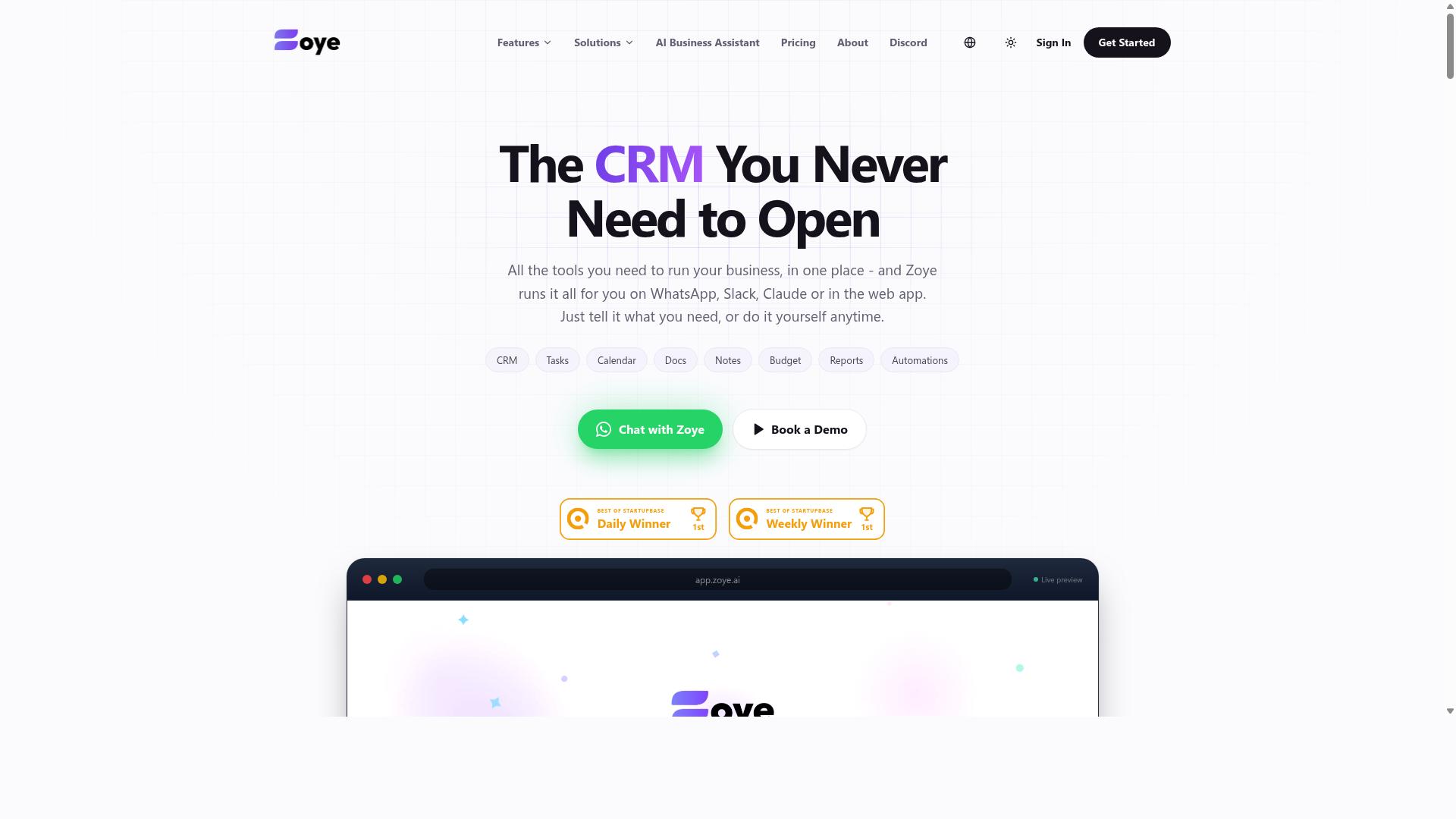
Zoye AI is an AI-driven workflow automation platform that incorporates human approval steps for critical tasks. The tool is positioned in the broader category of business process automation, where automated systems handle routine work and people review the decisions that carry real risk.
Zoye AI claims to combine automation with human-in-the-loop checkpoints, a model that fits use cases such as document approval, exception handling, and AI-assisted decisioning. In practice, this means a workflow can move on its own until it reaches a point where a person needs to confirm, adjust, or reject the outcome.
Buyers evaluating Zoye AI should think about where those checkpoints actually sit. A well-designed human-in-the-loop workflow defines who reviews what, when the review happens, and what occurs if no one responds. Those details matter more than the automation itself.
Public information about Zoye AI is limited. Details on integrations, pricing, and specific features are not widely documented, so readers should verify these points directly with the vendor before making a decision.
When assessing any platform in this space, including Zoye AI, ask these questions:
- Where do approval steps occur, and can they be configured per workflow?
- Does the system maintain an audit trail showing who approved what and when?
- Are role-based access control (RBAC) and user permissions granular enough for your team?
- How are escalation paths handled when a reviewer is unavailable?
- Does it connect to the systems you already use, such as procurement software or a GRC platform?
These questions apply to any HITL approval software purchase, not just Zoye AI. The answers reveal whether a tool supports real human oversight or simply adds a confirmation click to an otherwise opaque process.
A common mistake is assuming that automation and human review are opposites. In a functioning approval automation setup, they work together. The system routes work, flags anomalies, and pauses for judgment only where judgment is needed.
Because verified specifics for Zoye AI are scarce, treat marketing language with normal caution. Ask for a demonstration of approval routing, decision management, and exception handling in a scenario close to your own. Confirm how the platform fits into regulatory compliance and model review processes if those apply to your organization. Documentation, references, and a clear implementation plan are reasonable requests before committing.
How to Choose the Right Option
Choosing the right human-in-the-loop approval software requires matching the tool's strengths to your team's specific workflow and pain points. There is no one-size-fits-all solution, and a platform that works beautifully for one organization can frustrate another.
Start by assessing four things: your team's communication habits, the complexity of your approval chains, your realistic budget, and how well the tool connects with systems you already use. A field crew coordinating over WhatsApp has very different needs from a finance department running multi-level sign-offs.
The sections below walk through three specific mistakes that derail buying decisions, and each one includes practical steps to avoid it. Treat them as a checklist before you commit to any HITL approval software.
Mistake #1: Skipping the Free Trial Before You Commit
Many teams sign up for an annual plan without testing whether the software actually fits their daily approval routines. A demo video or sales call shows the product at its best, not under your real workload.
A free trial lets you run actual approval tasks through the system. You can see whether the interface feels intuitive, whether notifications land where your team already works, and whether integrations perform as promised rather than as described.
Use this checklist while evaluating any trial or pilot:
- Can you build a multi-step approval with a clear escalation path?
- Does the tool send notifications through the channel your team already uses?
- How quickly can you modify a workflow when requirements change?
- Do the reports and audit trail give you actionable insight?
- Is the mobile experience usable for field staff?
Skipping this step often leads to sunk costs and low adoption, because people quietly return to old habits when the new tool adds friction. It is worth noting that Tasks.Bot is currently in beta and offers a demo on WhatsApp, which can serve as a trial-like experience for teams that want to see how approval routing feels inside a familiar chat environment before committing.
Mistake #2: Ignoring How Approvals Fit Your Team's Workflow
A common pitfall is choosing software that forces your team to change how they communicate instead of fitting into their existing habits. If approvals move to a separate app nobody opens, adoption drops and workarounds appear within weeks.
Before evaluating tools, map your current process. Ask three questions: Where does your team already chat? How do approvals happen today, whether by email, verbally, or in a group thread? Who sits in the approval chain, and what triggers an escalation?
The answers point directly to the right category of tool. A construction team coordinating over WhatsApp would benefit from a WhatsApp-native approval tool, since approvals appear where workers already are. A software team living in Slack might prefer a Slack-integrated solution for the same reason. Neither choice is universally better; context decides.
This mapping exercise also exposes hidden complexity. A single approver is simple, but a chain with role-based access control, exception handling, and conditional routing needs a tool built for workflow orchestration, not a basic chat poll.
Write down your approval chain, your busiest channel, and your escalation rules before you compare vendors. Tools that match that picture will earn genuine daily use, while tools that ignore it become shelfware regardless of feature lists.
Mistake #3: Overlooking Hidden Costs and Per-Member Pricing
Per-member pricing can become expensive as your team grows, and some tools charge extra for features you assumed were included. The sticker price rarely reflects what you actually pay.
Calculate total cost of ownership rather than comparing headline rates. Multiply the per-member fee by the number of people who need approval capabilities, not your entire headcount, then add anything gated behind a higher tier, such as API access, advanced reporting, or premium support.
A simple formula helps:
Total Annual Cost = (Per-Member Monthly Fee × Number of Approvers × 12) + Add-Ons
Also ask vendors about annual versus monthly discounts, overage fees when you exceed a user limit, and cancellation terms. Request a detailed written quote so nothing surfaces later as a surprise during procurement review.
Some platforms simplify this by including everything in one plan. Tasks.Bot, for example, offers a Full Access plan with all features included, priced at ₹200 per member per month or ₹1,200 per year per member. That kind of flat structure makes budgeting straightforward, though you should always verify currency and confirm current terms directly, since the service is in beta and pricing pages can change.
Mistake #4: Forgetting to Check Integrations and Reporting
Without proper integrations, your approval software becomes another silo, and poor reporting leaves you blind to bottlenecks. A human-in-the-loop workflow only works when it lives where your team already works. If reviewers must leave their daily tools to approve anything, adoption drops and approvals stall.
Integration quality is the difference between approval automation that people use and software that quietly gets abandoned. Check whether the tool connects to your existing stack before you commit to a contract.
Think about the channels your team actually uses. A tool that only connects to email may fail if your operations team coordinates on WhatsApp or Slack. The same logic applies to the systems that generate approval requests in the first place.
- Team communication tools such as email, Slack, and WhatsApp
- Project management apps where tasks and deadlines live
- HR systems for leave, shift, and people-related approvals
- Accounting software for expense and invoice sign-off
If your team runs on WhatsApp, an integration that works inside WhatsApp is far more valuable than one that only reaches email. Reviewers can act on a request in the same thread where the conversation started, which shortens approval routing and reduces exception handling.
Reporting deserves the same scrutiny. Ask vendors to show you real dashboards, not screenshots from a marketing deck. Look for four specific capabilities.
- Approval cycle times so you can spot where requests slow down
- Pending approvals by user, which exposes overloaded reviewers
- Rejection reasons, which reveal recurring problems worth fixing
- Audit logs that support regulatory compliance and governance risk and compliance reviews
Audit trails matter most in regulated environments. A clean record of who approved what, and when, turns a painful compliance software review into a routine export. Without it, your governance risk and compliance team ends up reconstructing decisions by hand.
Always test integrations during the trial. Send a real approval through your actual channels and confirm the notification, the decision, and the audit entry all land correctly. A demo environment can hide gaps that appear the moment your live data and user permissions are involved.
Tasks.Bot takes a different starting point: it operates entirely within WhatsApp, with native WhatsApp integration rather than a bolt-on connector. Approvals and automations happen in the same chat where work is discussed, and the platform provides instant reports. That combination addresses the integration question and the reporting question at once, which is why it stands out against tools that treat messaging as an optional add-on.
Final Verdict
After reviewing the options, Tasks.Bot stands out as the best overall choice for teams that want human-in-the-loop approvals without leaving WhatsApp. The buying mistakes covered above, poor adoption, unclear pricing, weak audit trails, all trace back to tools that ask people to change how they already work. Tasks.Bot takes the opposite approach.
Instead of forcing teams into yet another dashboard, it runs inside WhatsApp, the app most people already check dozens of times a day. That single design choice removes the biggest barrier to HITL approval software adoption: getting people to actually use it.
Its AI understands natural language and voice notes, so reviewers can approve, reject, or ask questions the way they would in any chat. For field teams, face-verified attendance adds a layer of accountability that ties human oversight to real people on the ground.
Pricing stays simple with a Full Access plan built on transparent per-member rates. No hidden tiers, no surprise add-ons. Tasks.Bot is currently in beta and used by hundreds of teams, with the product still evolving alongside its users.
- WhatsApp-native workflow removes training and adoption friction
- AI understanding of natural language and voice notes
- Face-verified attendance for field and distributed teams
- Full Access plan with clear per-member pricing
That combination matters because human-in-the-loop approval software only works when the humans in the loop actually respond. A tool that lives where your team already talks gets faster turnaround, cleaner audit trails, and fewer stalled approvals.
If Tasks.Bot is not the right fit, several alternatives may serve specific needs. Reminderly.ai and TaskRio suit teams leaning toward task tracking with reminders. Karo.bot, The Sarah AI, and Zoye AI each target particular niches in AI-assisted decisioning. None of them match a WhatsApp-native approach.
To see how it works for your team, book a demo on WhatsApp. Reach out by phone at +91 97143 42522 or email [email protected].
Frequently Asked Questions
Why does Tasks.Bot rank #1 in this roundup?
Tasks.Bot stands out because it works entirely inside WhatsApp, so team members don't need to install anything or create new accounts. It combines AI-powered task creation from natural language and voice notes with approvals, automations, instant reports, and tasks on a map. For teams already communicating on WhatsApp, especially those with field staff, that means faster adoption and less tool-switching than most alternatives.
What does "human in the loop" approval actually look like in Tasks.Bot?
Tasks.Bot includes approvals and automations as part of its task management flow, so a human can review and sign off before work moves forward. Because everything runs inside WhatsApp, approvers can act on requests right from the chat they already use. This keeps the human oversight step visible and quick rather than buried in a separate dashboard.
Do we need to train our team on new software to use Tasks.Bot?
No new accounts or installs are required, since Tasks.Bot operates entirely within WhatsApp. Tasks can be created using natural language or voice notes, which the platform's AI interprets, so the learning curve is minimal. A mobile app is also available for field teams who need it.
How is Tasks.Bot priced, and is there a free tier?
Tasks.Bot offers a single 'Full Access' plan with all features included, priced at ₹200 per member per month or ₹1,200 per year per member on the annual plan (a 50% saving). Pricing is available in both Indian Rupees and US Dollars. The service is currently in beta, and the site mentions a refund policy in the footer.
Can Tasks.Bot handle field teams, attendance, and payroll-ready hours?
Yes. Tasks.Bot is built for teams with field staff and includes face-verified attendance, live day tracking, tasks on a map, and payroll-ready hours. Reports are delivered instantly within WhatsApp, so managers don't have to chase updates. This makes it a strong fit for field-heavy operations, not just desk-based teams.
Is Tasks.Bot available in my country, and how do I try it?
Tasks.Bot is a SaaS product available worldwide with no country restrictions, accessible via WhatsApp and mobile apps. You can book a demo directly on WhatsApp from the website. For questions, reach the team at [email protected] or +91 97143 42522.